
Method 1: Taxpayers submit via the General Department of Taxation Information Portal
Step 1: Access the website: https://thuedientu.gdt.gov.vn/. Users select personal items.

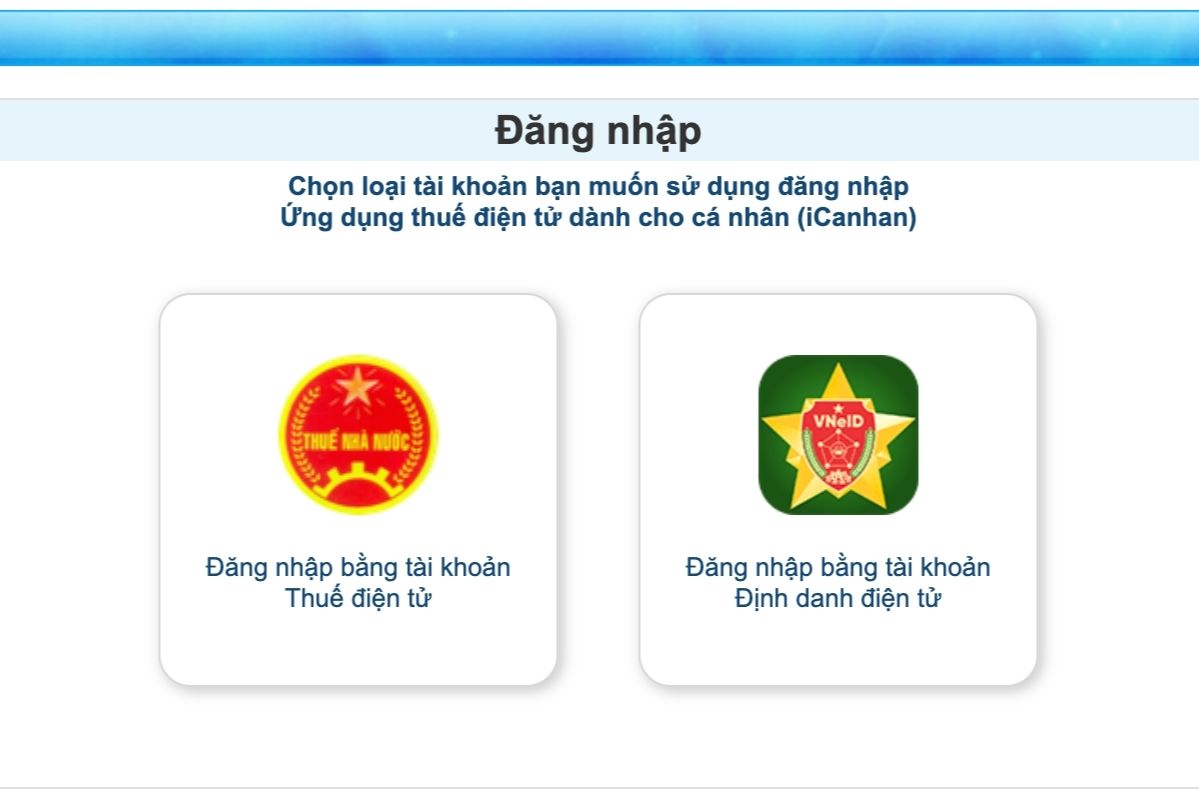
Step 2: Select a login account and fill in the information.
Step 3: Select "Tax Calculation" next, select "Online Tax Declaration".
Step 4: Select the declaration information
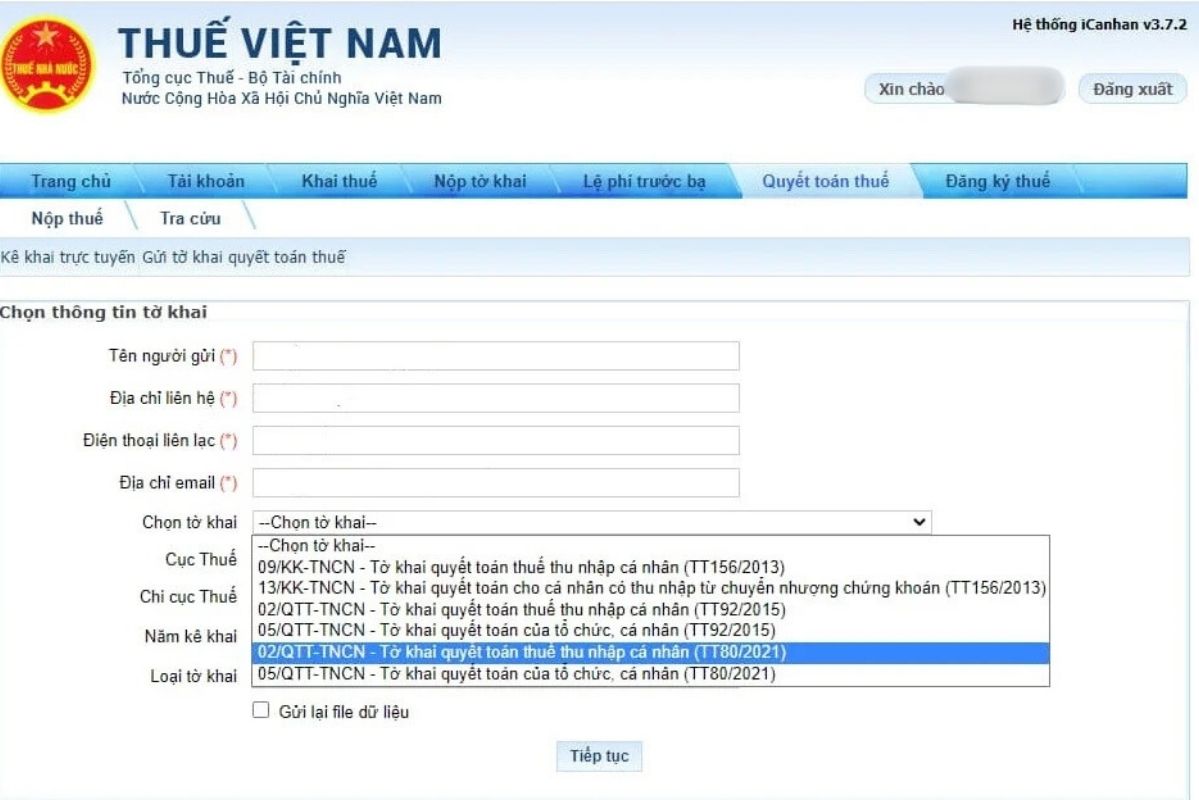
In particular, NTT needs to pay attention to the following information:
Name of taxpayer: Name of self-respecting taxpayer
Contact address: Permanent or temporary residence address
Contact phone number: Self- hands-on phone number
email address: email for self-compensation
Select the declaration form: 02/QTT-TNCN-TT80/2021).
The system will display a refund declaration screen for taxpayers to enter data.
Step 5: The NTT clicks "continuation"
Step 6: Enter the declaration data
Step 7: Select "Complete declaration"
Step 8: Complete
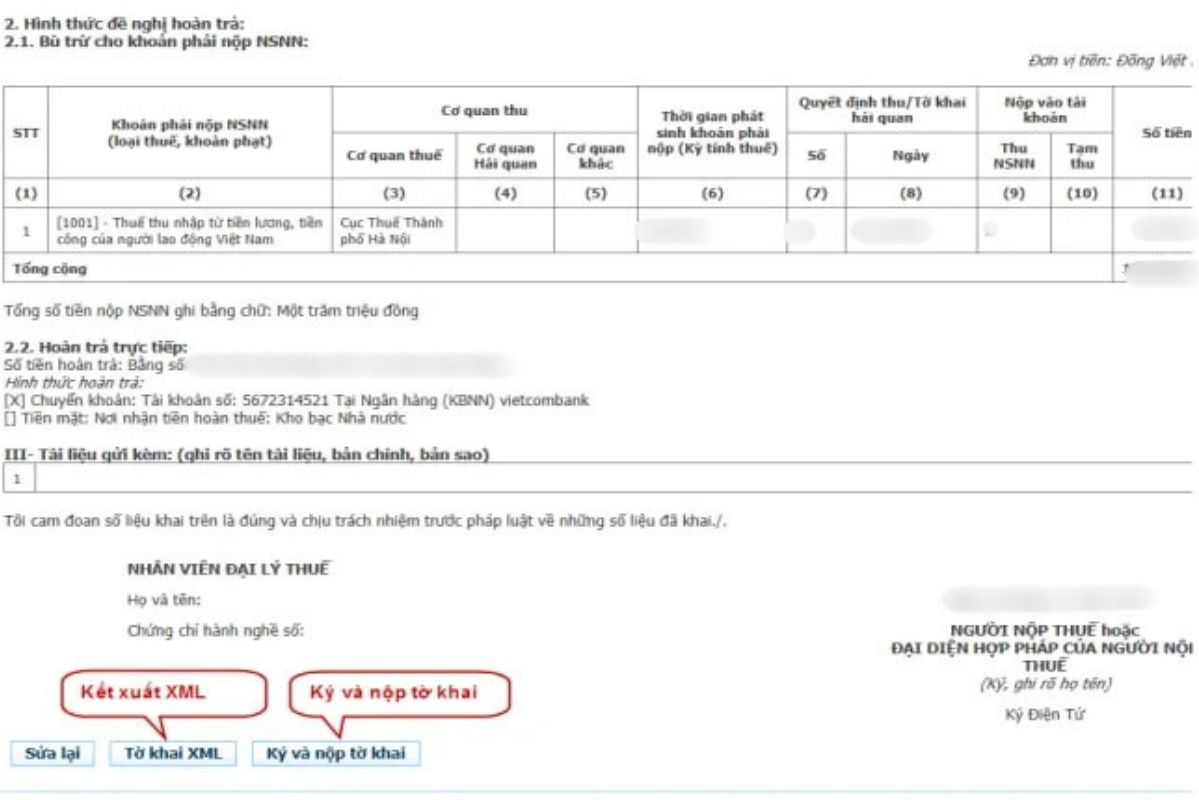
After that, the taxpayer selects "Sign and submit the declaration", the system displays a screen for the taxpayer to enter a PIN number and clicks "Receive" the system to notify "Successfully submit the declaration".
Note: The person who returns the paid personal income tax must have an account at the General Department of Taxation Information Portal to be able to do it.
Method 2: NTT payment via eTax Mobile
Step 1: Log in to the eTax Mobile application
Step 2: Select Proposal to handle excess payment
Step 3: Select the Tax Department and the Tax Branch (if any) to submit a petition and select "Continuation"
Step 4: Complete the information of the person requesting the handling of the excess payment. Select "continue"
Note: Traces * are required
Step 5: Re-verify the information on the tax amount, late payment fee, and excess fine. Select "continue"
Step 6: Complete the amounts payable, the amount to be submitted for compensation request with the excess amount, the amount to be paid after compensation as well as the required information. Select "continue"
Step 7: Re-verify the information of the requests for handling the excess payment. Select "continue"
Step 8: Name the attached documents and select a tax refund application. Select "continue"
Select the declaration form: 02/QTT-TNCN-TT80/2021
Step 9: Enter the OTP code and send it to the taxpayer's phone number. Select "Complete"


