
Sử dụng camera điện thoại
Camera quay lén thường sử dụng đèn hồng ngoại (IR) để bắt chuyển động hoặc ghi hình trong điều kiện ánh sáng yếu hoặc tối. Mắt người không thể phát hiện được ánh sáng hồng ngoại, nhưng cảm biến trên camera của điện thoại thông minh có thể nhìn thấy. Điều này có nghĩa là bạn có thể sử dụng điện thoại thông minh để tìm camera quay lén bằng cách tìm ánh sáng hồng ngoại phát ra từ chúng.
Bước 1: Kiểm tra tính năng IR trên điện thoại
Trước khi tìm kiếm camera quay lén, bạn cần kiểm tra xem camera trên điện thoại của bạn có thể phát hiện ánh sáng hồng ngoại hay không.
Cách làm như sau: Bật camera của điện thoại và nhắm vào điều khiển từ xa của TV hoặc một thiết bị khác.
Bật điều khiển từ xa và quan sát trên màn hình điện thoại xem có ánh sáng nhỏ, ổn định hoặc nhấp nháy không. Ánh sáng này thường có màu hồng tím hoặc xanh tím.
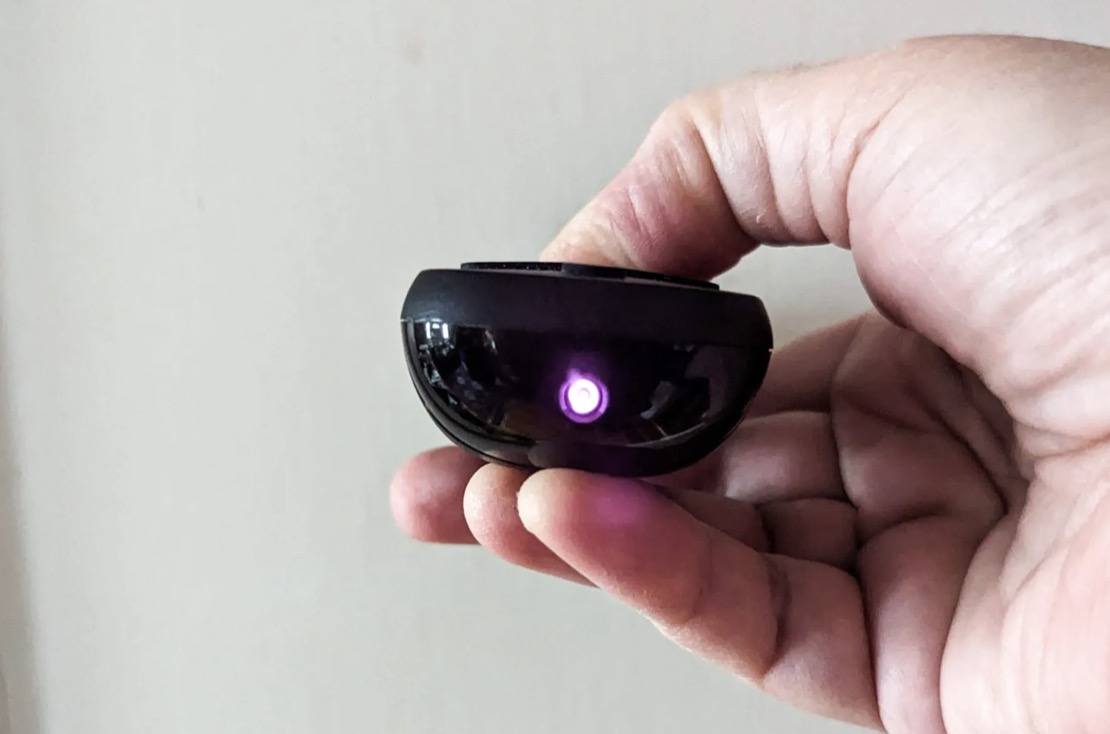
Nếu bạn không thấy ánh sáng qua camera sau, thử lại với camera trước. Nếu có ánh sáng nhỏ, camera điện thoại của bạn có thể sử dụng để tìm camera quay lén.
Bước 2: Tìm camera quay lén trong phòng
Sau khi xác định camera của điện thoại có thể phát hiện ánh sáng hồng ngoại, bạn có thể tiến hành tìm kiếm camera ẩn:
Tắt đèn, đóng cửa để phòng càng tối càng tốt, điều này sẽ kích hoạt đèn hồng ngoại của các camera ẩn.
Bật camera điện thoại và từ từ quét qua các góc và khu vực trong phòng cũng như các đồ vật khả nghi.
Nếu có camera ẩn đang hoạt động với đèn hồng ngoại, bạn sẽ thấy ánh sáng nhỏ xuất hiện trên màn hình điện thoại.
Kiểm tra kết nối mạng
Nếu bạn không phát hiện được camera quay lén bằng camera điện thoại, bạn có thể kiểm tra các thiết bị đang kết nối với mạng cục bộ để tìm các thiết bị không rõ nguồn gốc. Điều này có thể được thực hiện thông qua các ứng dụng phân tích mạng.
Có nhiều ứng dụng phân tích mạng giúp bạn tìm kiếm các thiết bị kết nối với mạng cục bộ. Một trong những ứng dụng phổ biến là Fing, có sẵn cho cả Android và iOS. Dưới đây là cách sử dụng ứng dụng này:
Tải và cài đặt ứng dụng Fing từ Google Play Store hoặc Apple App Store.
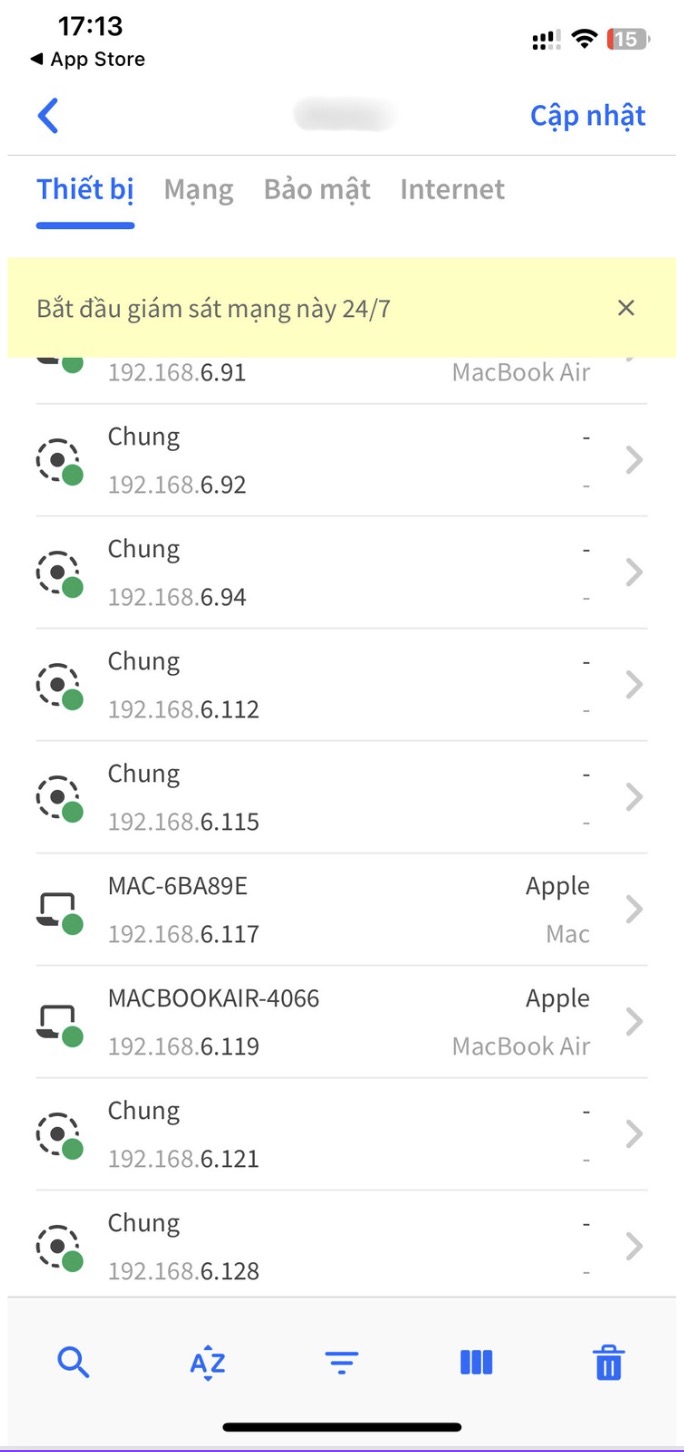
Mở ứng dụng và cho phép ứng dụng quét mạng Wi-Fi của bạn.
Ứng dụng sẽ liệt kê tất cả các thiết bị đang kết nối với mạng của bạn.
Kiểm tra danh sách thiết bị và xác nhận những thiết bị bạn nhận ra. Nếu có thiết bị lạ, đó có thể là một camera ẩn đang kết nối với mạng của bạn.
Việc sử dụng điện thoại di động để phát hiện camera quay trộm là một phương pháp tiện lợi và hiệu quả để bảo vệ quyền riêng tư của bạn. Bạn có thể sử dụng camera điện thoại để tìm ánh sáng hồng ngoại từ camera ẩn hoặc kiểm tra các thiết bị kết nối với mạng Wi-Fi của bạn bằng ứng dụng phân tích mạng.
Nếu cần thiết, hãy sử dụng máy dò tần số vô tuyến để đảm bảo không có thiết bị giám sát trái phép trong không gian của bạn.


