To perform a lookup of personal income tax debts in 2025 on eTax Mobile, taxpayers follow the following steps:
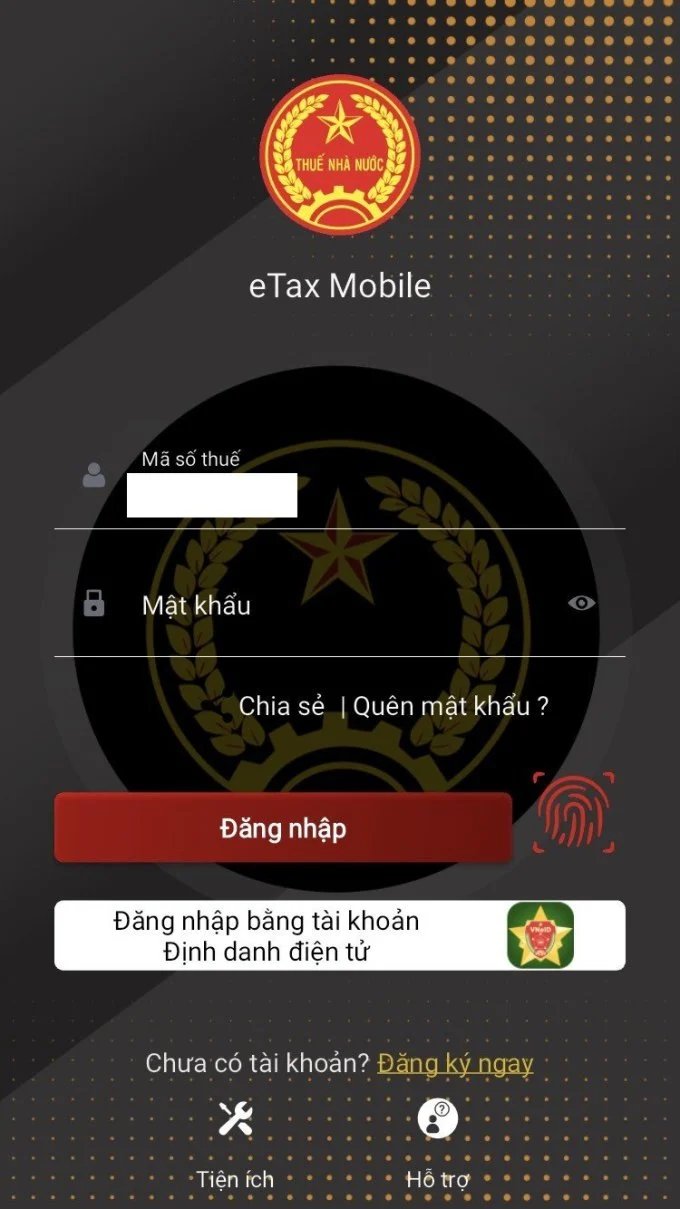
Step 1: Log in to the application with the registered account or log in with an electronic identification account.
In case there is no account, taxpayers register with tax code information and their citizen identification number and follow the instructions.
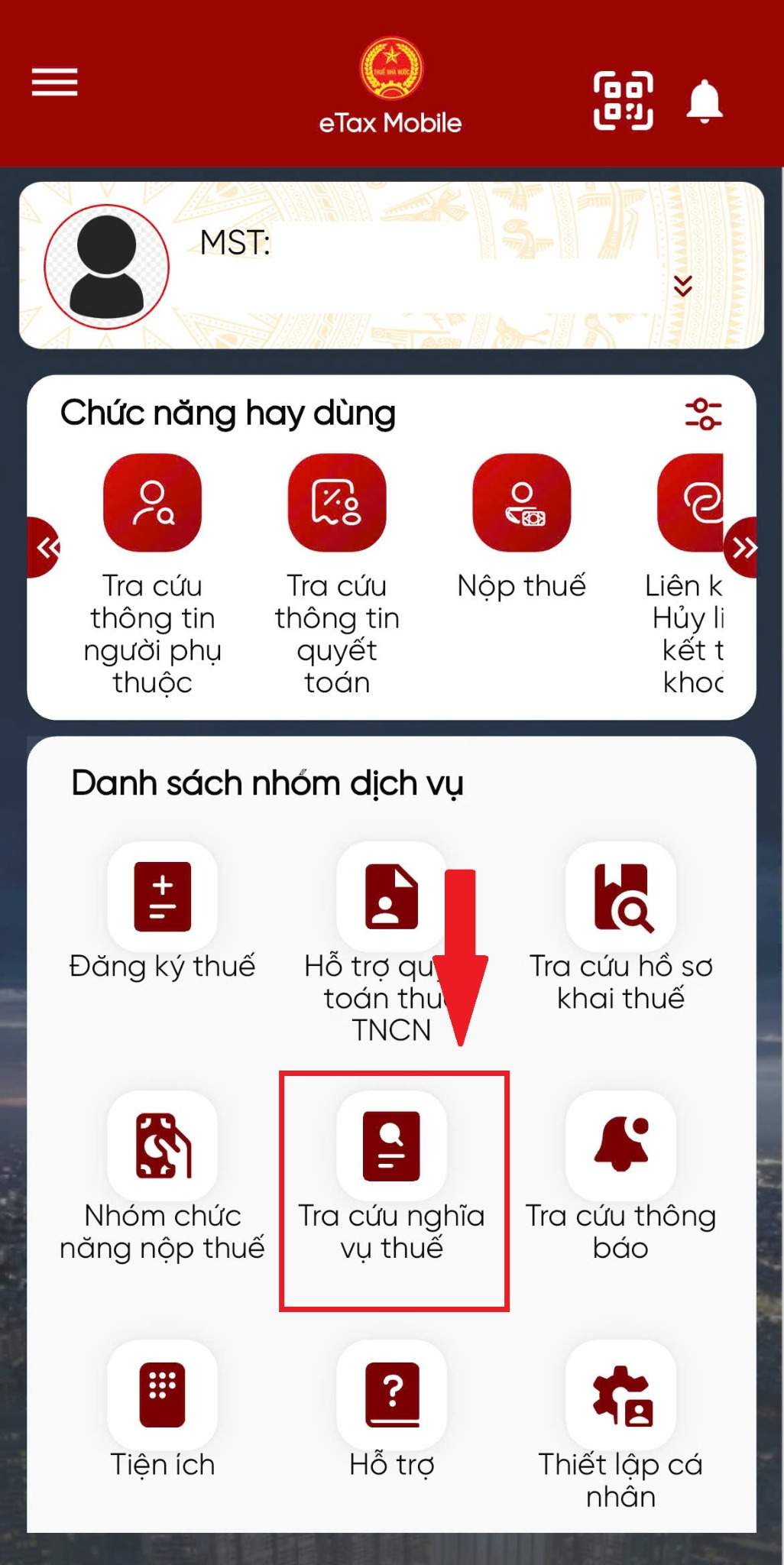
Step 2: Select the Tax Obligation Lookup section, then select Tax Obligation Information and perform the Lookup.
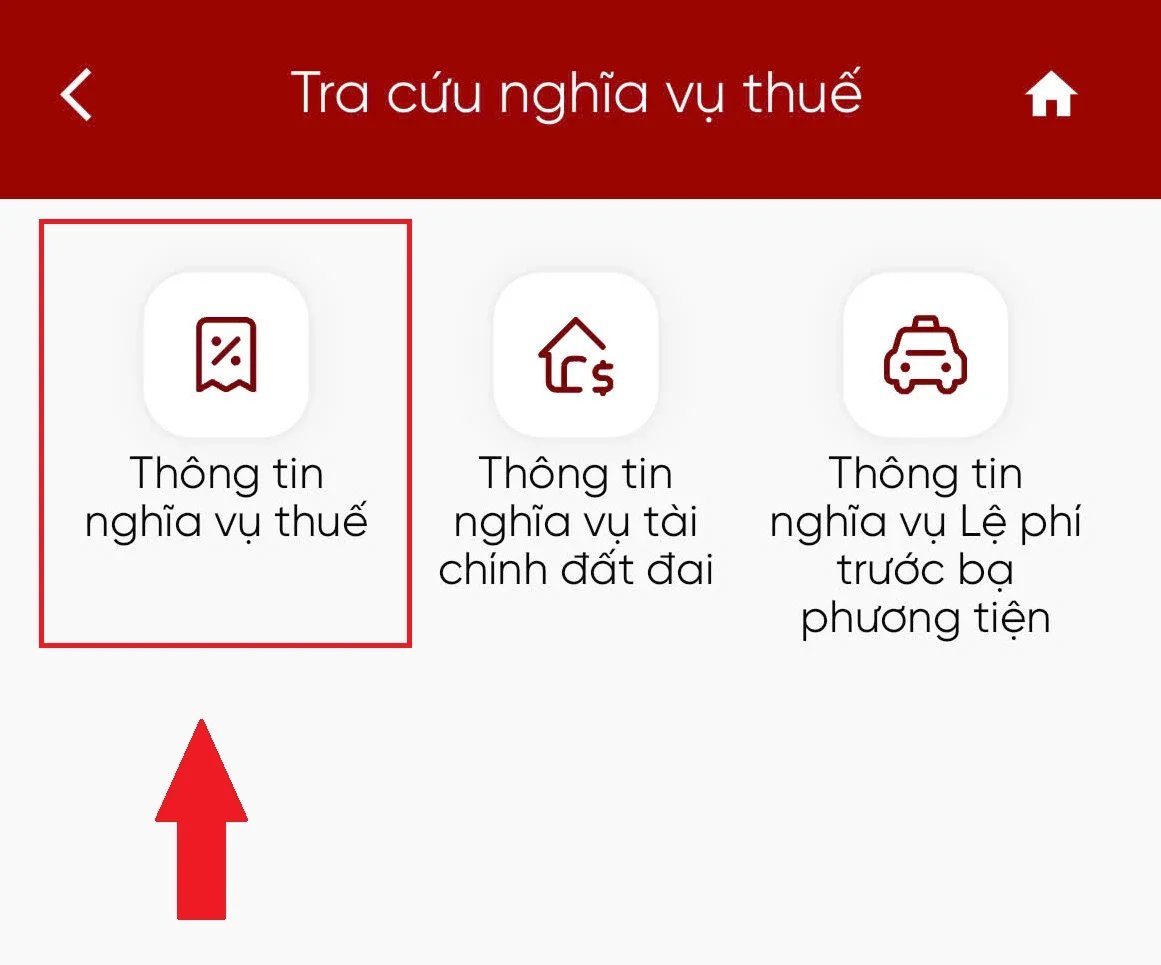
Here, the System displays two items including:
Section I: Accounts payable, already paid, still payable, overpaid, exempted or reduced, debt written off, refunded, refunded, still refunded.
Section II: Accounts still to be paid, overpaid, and refunded have been recorded in the tax management application system.
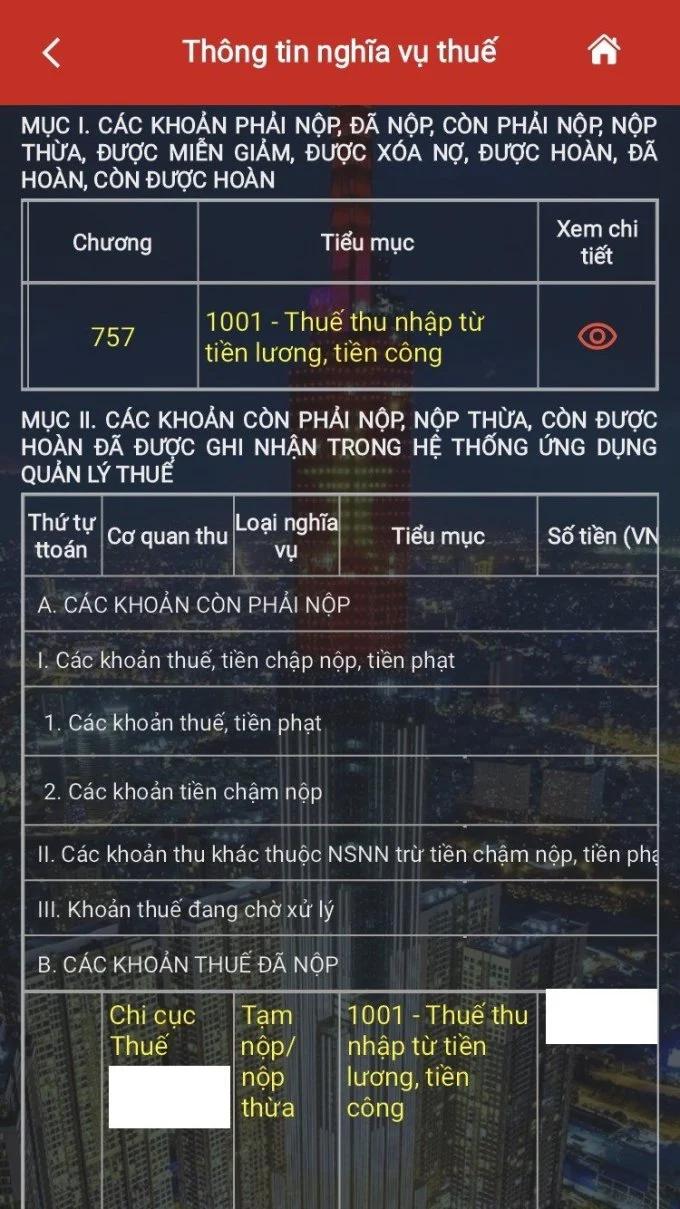
Taxpayers can click on the detailed view button to check whether they are refunded or have to pay additional taxes and specifically how much money in both items.
To avoid arising problems related to tax obligations, the Tax Department recommends that taxpayers regularly review the status of tax obligations on the Administrative Procedure Resolution Information System or the Etax Mobile application. For households and individual businesses, it is necessary to fully update the business registration address; proactively contact the tax authority when information changes; complete tax obligations on time and promptly handle them immediately upon receiving notification from the tax authority.
The tax authority also recommends that taxpayers access the Information System for resolving administrative procedures using business and personal accounts; and install and use the Etax Mobile application to receive electronic notifications from the tax authority.