To update the health insurance card validity on the VNeID application, users can refer to the following instructions:
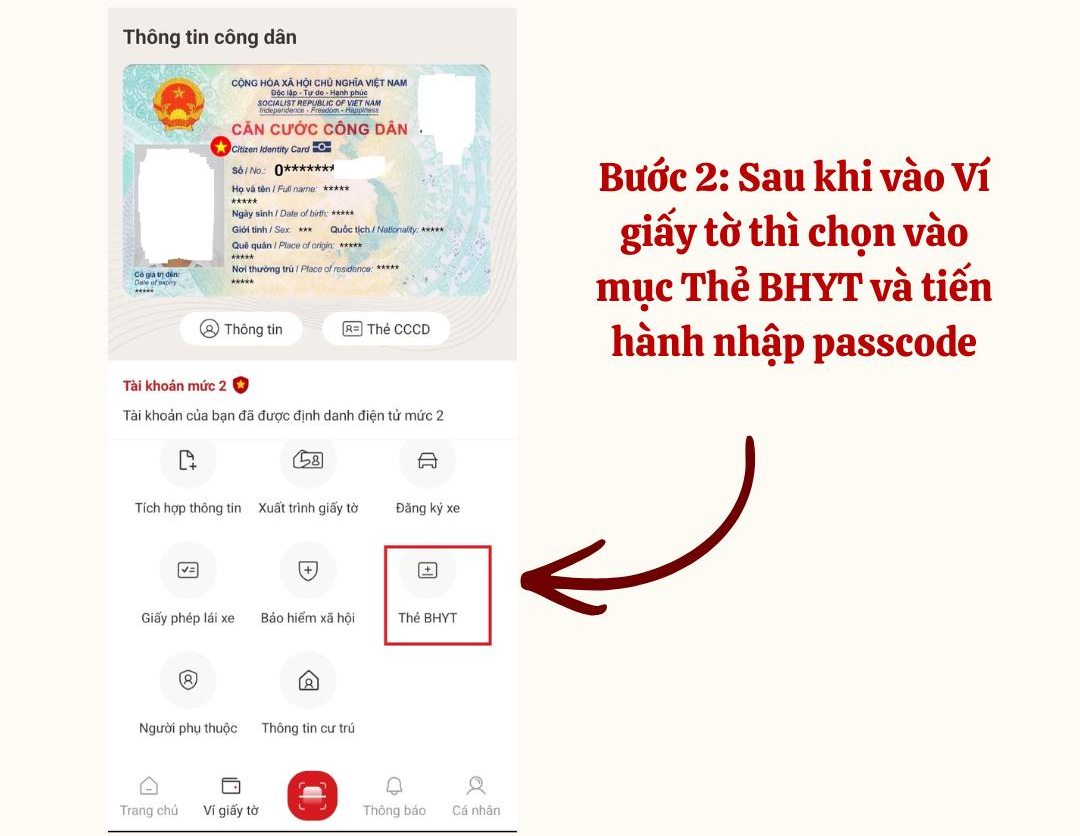
Step 1: Log in to the VNeID application. Then, select the "Paper Wallet" section.

Step 2: Select the Health Insurance Card section and enter the passcode to confirm and ensure personal information security.
Step 3: Update health insurance information
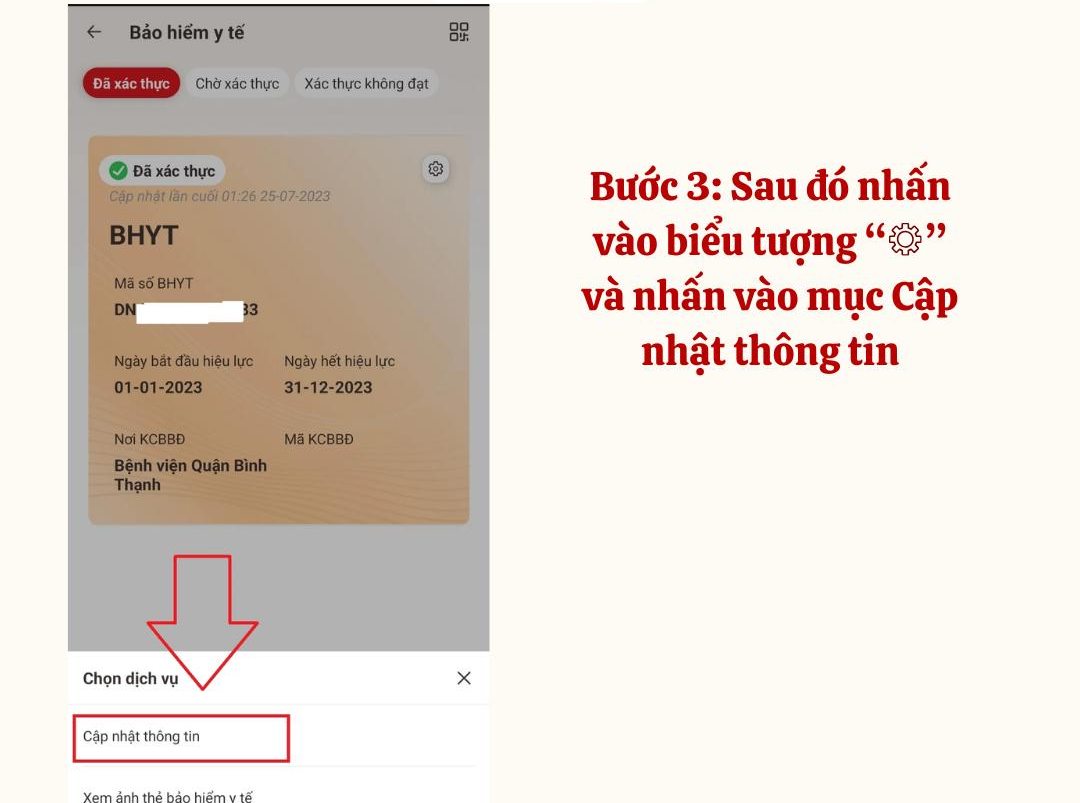
- After verifying the information, the screen will display detailed information about the user's health insurance card.
- Tap the three-point vertical icon in the top right corner, then select Send new information update request.
Step 4: Complete the health insurance card validity update request
- The system will display the message Send a request to update new information.
Tap Confirmation to perform the health insurance card expiration update process on the VNeID application.
- At this time, there will be a notification creating a successful information update request, press Close to complete.

After sending the information update request is completed, the system will update the data information of participants on the VNeID application, the screen will display full information updating the expiration date of the health insurance card.
Users can use health insurance card images on the updated VNeID application to go for medical examination and treatment to replace paper health insurance cards in the easiest and most convenient way.