
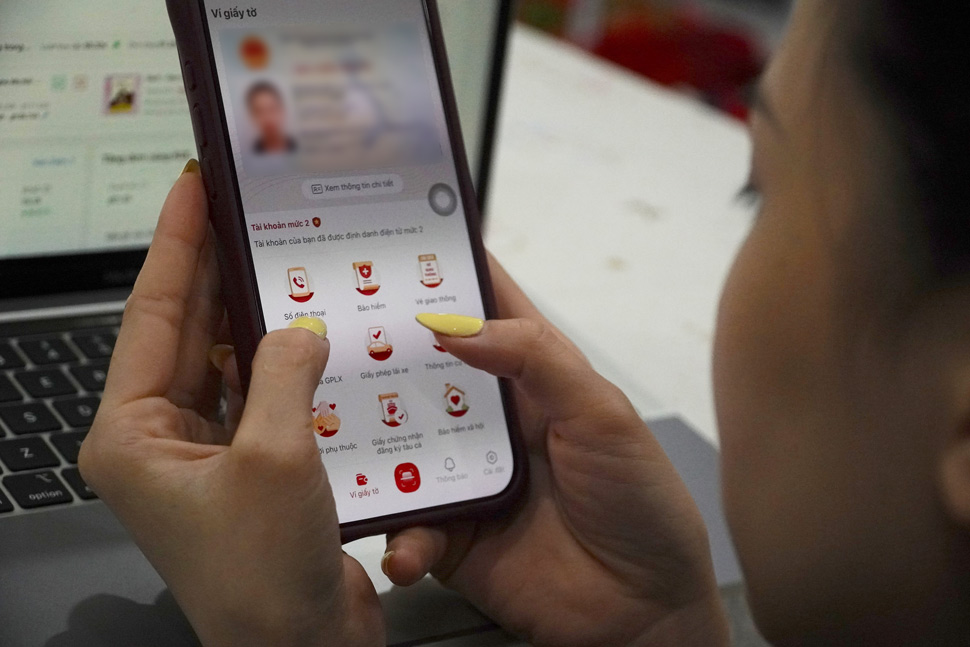
On the morning of April 15, immediately after the subscriber authentication regulation took effect, Ms. Nguyen Thi Thu Ha (Hanoi) opened the VNeID application to check the information of phone numbers in her name. Before that, she only knew about the regulation through social networks and friends sharing, not clearly imagining how the check would take place.
“I think there are probably only some currently in use. But when I checked, I saw an additional number that I have not used for a long time,” Ms. Ha said.
According to her, this phone number was registered many years ago, then abandoned but did not carry out cancellation procedures. "If it weren't for this period, I probably wouldn't remember. Now seeing it appear, I'm a bit surprised," Ms. Ha said.
Immediately after that, Ms. Ha chose to confirm the subscriber number she was using and learn how to handle the remaining number. "At least I know which numbers are being registered to be proactive. Before, no one paid attention to this," Ms. Ha shared.
In Hung Yen, Mr. Tran Van Nam also took the opportunity to check his subscriber information on VNeID after receiving information about the new regulations. As a person who uses two phone numbers for work and personal purposes, he said the check took place quite quickly.
I went to check and saw that the two numbers I was using were correctly displayed. Then just confirm and it's done. The operation is not difficult, mainly you have to know to check," Mr. Nam said.
However, according to Mr. Nam, not everyone knows this regulation from the beginning. "If you don't read the news, many people won't know to check. So it is necessary to announce more widely so that everyone knows," Mr. Nam commented.
Meanwhile, Ms. Pham Thi Hong (Bac Ninh) encountered some confusion when using VNeID for the first time to look up subscriber information. She said that she had to ask her child to guide her to find the check item.
I am not used to using the application, so I didn't know where to go at first. After being instructed, I found it simple. But if older people do it themselves, it will be a bit difficult, so they can ask relatives for support or go to the network operator's store to get direct guidance," Ms. Hong shared.
According to records, right from the start of deployment, many users actively accessed VNeID to check subscriber information, but the level of access is still different. Young people, who are used to using technology, can operate quickly, while older people still need support.
According to the Telecommunications Authority (Ministry of Science and Technology), allowing people to check and confirm subscribers on VNeID is to help each individual clearly understand their phone numbers in their name, thereby proactively managing and being responsible for their use.
According to the provisions of Circular 08/2026, subscriber data will be synchronized with the national population database and displayed on VNeID for people to check and confirm.
For subscriber numbers that are not confirmed or not used by users, telecommunications businesses will handle them according to a roadmap, including service restrictions and possibly recalling numbers if not updated in time.
Steps to view confirmed phone numbers on VNeID
Step 1: Log in to the VNeID application, on the home screen of the level 2 electronic identification account, press Paper Wallet.
Step 2: Tap Phone number.
Step 3: Verify with passcode or fingerprint/face (depending on the authentication configuration of the account on the device).
Step 4: The list of integrated phone numbers will be displayed.
Identity SIM verification is not carried out simultaneously on April 15, but takes place in batches. Therefore, if you do not see the phone number displayed on VNeID, please wait and try again later. Or users can wait until they receive a message from the network operator or notification from the electronic identification application. When the list of mobile numbers appears, press each number and select confirm "using" or "not using" the subscriber number.


